Pre-38c3: Chaos Communication Congress

I am waiting for the 38th Chaos Communication Congress from 27. – 30. December at CCH Hamburg to begin. The halfnarp already revealed some super interesting stuff. And the Fahrplan now has everything. The hub is mostly under construction.

The Chaos Communication Congress is an annual symposium and hacker gathering organized by the Chaos Computer Club (CCC) in Germany. It is the longest-running German IT security conference and has grown into one of the most important conferences on digital transformation in Europe.

  • Held annually between Christmas and New Year’s Eve
  • Typically lasts for four days (December 27-30)
  • Attracts thousands of hackers, technology enthusiasts, artists, and utopians

Focus Areas:

  • Information technology
  • Digital security
  • Making and breaking
  • Creative and critical discourse on technology and society

The Congress offers a diverse range of activities:

  • Lectures and Workshops: Covering a wide array of topics related to technology, society, and utopia
  • Hands-on Projects: Participants can work on their own projects at „Assemblies“
  • Hacker Center: A large area where regional CCC groups showcase their technology
  • Art Installations: Exploring the intersection of technology and artistic expression

Historical Context: Established in 1984, initially held in Hamburg, later moved to Berlin and Leipzig, has grown significantly, with recent events attracting up to 17,000 attendees.

The Congress is known for its unique atmosphere, often described as a „family gathering“ for the hacker community. It’s a place where attendees can exchange ideas, learn from each other, and engage in critical discussions about the impact of technology on society.

A bunch of URLS to visit to get an idea:

  1. https://content.events.ccc.de/cfp/38c3/
  2. https://de.wikipedia.org/wiki/Chaos_Communication_Congress
  3. https://events.ccc.de/congress/2023/infos/index.html
  4. https://www.kleiner-kalender.de/event/chaos-communication-congress/02352c.html
  5. https://www.youtube.com/watch?v=ZA_HnAP8NSQ
  6. https://wiki.openstreetmap.org/wiki/Chaos_Communication_Congress
  7. https://www.ccc.de/en/
  8. https://events.ccc.de/en/congress/

Source of this summary: perplexity.ai

Here is an excerpt of the talks am looking forward to most

  • Fearsome File Formats
  • Find My * 101
  • libobscura: Cameras are difficult
  • IRIS: Non-Destructive Inspection of Silicon
  • Demystifying Common Microcontroller Debug Protocols
  • BioTerrorism Will Save Your Life with the 4 Thieves Vinegar Collective
  • Feelings are Facts: Love, Privacy, and the Politics of Intellectual Shame
  • All Brains are Beautiful! – The Biology of Neurodiversity
  • Euclid, das Weltraumteleskop – 180 Millionen Galaxien sind ein guter Anfang
  • RadioMining – Playlist-Scraping und Analyse
  • Clay PCB
  • Can We Find Beauty in Tax Fraud?
  • Typing Culture with Keyboard: Okinawa – Reviving the Japanese Ryukyu-Language through the Art and Precision of Digital Input

Update 26.12.2024

I found e really nice, new definition of Chaos on fediverse…

Chaos ist kein Durcheinander. Chaos ist ein selbstorganisierendes System, das festen Regeln folgt, dessen Komplexität jedoch genaue Vorhersagen unmöglich macht.

Stuff for later…

Odd stuff

I won’t go this year

That has primarily to do with the fact that there will be way too many people for me to cope with and my most recent experience I had at the last Chaos Communication Camp. But I will definitly follow the streams from our local hackerspace in Bremen. Highly likely doing some serious hardware soldering and microcontroller programming, while watching and listening to the VOC transmissions.

Why do I blog this? I loved the congress while it was smaller. 26c3 was my first one. I was still okay with it when we were in HH Dammtor with 6000 ppl. Leipzig was too big for me, you had to walk endlessly to get to people and talks. It was overcrowded in the gangways and the food situation was below average (WOC – Waffle Operation Center excluded).


Chris Gammell: The HELLO WORLD of PCB design – Getting to Blinky 5.0

I just would like to recommend a nice series of YT tutorials on electronics PCB design and working with the proper tools to make it happen offered by Chris Gammell.

From the YT channel description

Contextual Electronics is an online electronics apprenticeship program. Follow along with our instructors and see how you can pair theoretical and practical electronics knowledge. Members of the course learn how to apply electronics design techniques to build custom electronic hardware.

The YouTube channel is a small portion of the overall content available on our main site (https://contextualelectronics.com). The videos here are offered for free to the community. There are paid segments that dive in depth on many other topics. This channel will also include podcast, KiCad tutorials, and public talks (as part of programs like KiCon).

This course and channel is run by Chris Gammell, host of The Contextual Electronics Podcast and co-host of The Amp Hour Podcast.

Getting to Blinky 5.0

First episode has the „Hello World of designing a PCB“.

In this introduction to Getting to Blinky 5.0, we go over where to download the software, some of he learning objectives of this video course and how to load up the program once installed.

This is another incarnation of the Getting To Blinky Series, updated for KiCad 5.0. KiCad currently is on version 5.1.4 at the time these videos are being released, but the majority of UI is similar between 5.0 and 5.1.

Download KiCad here: http://kicad.org/
Discuss KiCad here: https://forum.kicad.info/
Contextual Electronics is located here: https://contextualelectronics.com/
Discuss Contextual Electronics here: https://forum.contextualelectronics.com/

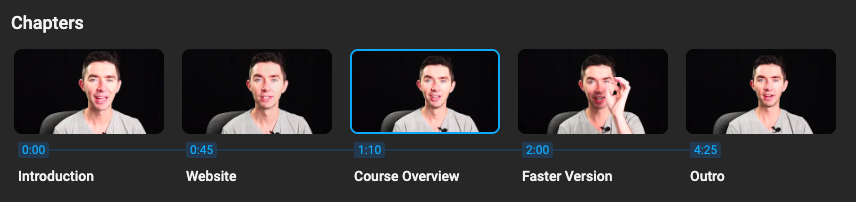
The chapters are short and concise but still easy to follow.

Watch the whole series here:
https://www.youtube.com/playlist?list=PLy2022BX6EspFAKBCgRuEuzapuz_4aJCn

Why do I blog this? I have learned a lot in a short time in this helpful series. It is an awesome educational marvel of the web for learning PCB design.

Mastering GDAL Tools – ein Online Kurs für den Einstieg

Wer mit Geodaten arbeitet, der landet relativ fix bei der Geospatial Data Abstraction Library (GDAL). Einem Open Source toolset, um eine ganze Menge an georaumbezogenen Datentransformationen durchführen zu können.

Leider ist die Dokumentation und die Tutorials eher so na ja bei gdal.org. Jetzt hab ich einen supercoole Quelle bei Spatial Thoughts gefunden, um sich mit den Tools richtig gut vertraut zu machen:
Mastering GDAL Tools (Full Course Material)

GDAL is an open-source library for raster and vector geospatial data formats. The library comes with a vast collection of utility programs that can perform many geoprocessing tasks and build scalable spatial ETL pipelines without the need for expensive software.

Ich hab mit den GDAL tools ein wenig herumexperimentiert und stelle fest, da steckt eine Menge Power drin.

Installation von GDAL

Die Installation ist ein wenig tricky. Auf macOS kann se auch etwas Zeit in Anspruch nehmen. Ich habe Homebrew benutzt und einfach folgende Zeile eingegeben:

brew install gdal

Ob alles geklappt hat, kann man testen, indem man eingibt:

gdalinfo --version

Das sollte die installierte Version ausgeben. Bei mir ist das gerade
GDAL 3.6.3, released 2023/03/07

Maptiles generieren

So kann man z.B. sehr einfach seine eigenen WMTS/WMS (Web Map Tile Service) erzeugen mit folgendem Befehl:

gdal2tiles.py land_shallow_topo_21600.tif --s_srs=wgs84 -d -p raster

Dafür lädt man einfach zuvor von z.B. der NASA eine Weltkarte im Mercator Format (das ist das gängigste Format, dass auch Google nutzt) runter. Die NASA hat auch ein README.pdf parat, das ein wenig erklärt, wie man die Daten nutzen kann.

Um zu gucken, welche Metainformationen da in dem TIF enthalten sind kann man folgende Zeile eingeben:

gdalinfo land_shallow_topo_21600.tif

Das ergibt dann z.b. eine Ausgabe wie:

Driver: GTiff/GeoTIFF
Files: land_shallow_topo_21600.tif
Size is 21600, 10800
Metadata:
  TIFFTAG_RESOLUTIONUNIT=2 (pixels/inch)
  TIFFTAG_XRESOLUTION=72
  TIFFTAG_YRESOLUTION=72
Image Structure Metadata:
  COMPRESSION=LZW
  INTERLEAVE=PIXEL
  PREDICTOR=2
Corner Coordinates:
Upper Left  (    0.0,    0.0)
Lower Left  (    0.0,10800.0)
Upper Right (21600.0,    0.0)
Lower Right (21600.0,10800.0)
Center      (10800.0, 5400.0)
Band 1 Block=21600x1 Type=Byte, ColorInterp=Red
Band 2 Block=21600x1 Type=Byte, ColorInterp=Green
Band 3 Block=21600x1 Type=Byte, ColorInterp=Blue

Dann transformiert man das z.B. auch mit folgendem Tool in ein .png File:

gdal_translate -of png land_shallow_topo_21600.tif land_shallow_topo_21600.png

So bekommt man ein PNG aus dem TIFF.

Why do I blog this? Es ist nicht so leicht mit Geodaten zu arbeiten. Jede Hilfe die man bekommen kann ist da willkommen. Ich hab festgestellt, das man mit den GDAL tools – z.B. eingebunden per Python – eine ganze Menge Tricks machen kann.